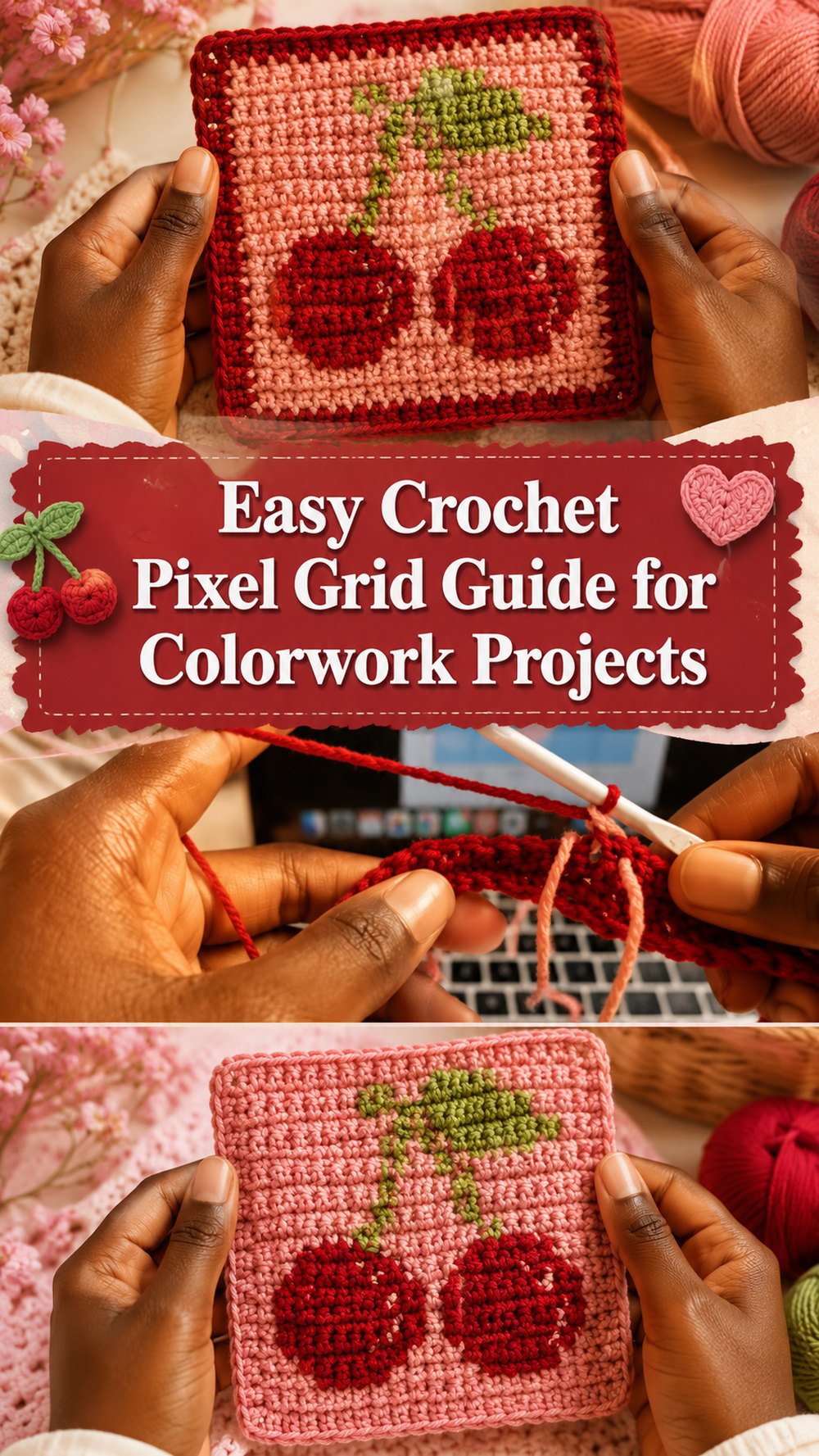
A crochet pixel grid is a fun way to turn simple squares on a chart into a bold handmade design. This kind of project is great when you want to make pictures, letters, shapes or cute graphic panels with yarn. The tutorial I picked is more about how to read a pixel style chart and how to keep your colour changes tidy as you go.
Why You Will Love This Assignment
This is a wonderful way to add a personal touch to your crochet. Pixel grids can be used to crochet colorwork projects such as picture panels and decorative pieces. This tutorial is geared toward beginners wanting to learn how to crochet patterns and images with more clean colour changes.
Materials Required
- Yarn in the colours you used in your grid design
- A crochet hook.
- A pixel grid / chart (printed or digital).
- Scissors.
- A needle for yarn.
- Stitch markers are also a great way to keep your place.
Pick a yarn and hook size that will give you the fit and texture you want.
Yarns Best Suited to This Project
For pixel-style crochet, smooth yarn in clear solid colours is usually best, because it makes the design pop. If you want the grid lines and colour changes to look crisp, try not to use very fuzzy yarn.
Level of Skill
Best for confident starters. This tutorial is geared towards beginners, but you do need to watch for chart and colour changes.
Size & Fit Guide
You can change the size of your project by changing the number of squares in your pixel grid! Repeat until you have the size you want. Change length or width to suit your project.
Stitching Used
The tutorial includes basic crochet with colour changes and a pixel grid chart. It’s mostly about reading the design and switching colours neatly rather than fancy textured stitches.
How To Do It

Launch the Foundation
First, choose your pixel grid and prepare your initial row or base section to the width of your chart. Keep your chart close by so you can cross off each block of colour!
Work the Body
Work on the design one section at a time, following the grid carefully. Each block on the chart tells you when to keep with the same colour and when to change. The tutorial is mainly focused on how to handle colour changes cleanly so that the image is formed clearly.
Change the Size
Repeat the chart over and over until you get the panel to the size you want. This works well for small patches, picture panels or larger pieces depending on your grid.
Join orShape
If your project has more than one panel, check that the sections are compatible before joining. Just keep on until you have the whole image for a one-panel project.
Finish the Edges
Once the grid is finished, tidy up the edges, weave in the ends, and add a simple border if you want a clean finish.
Helpful Hints
If you have separate areas of colour, separate sections of yarn or bobbins.
Mark your chart so you don’t lose your place.
Keep looking at the front to be sure the image is working out the way you want.
Maintain an even tension so that the grid does not pull or ripple.
Common Mistakes to Avoid
- Changing colours too late.
- Pulling the unused yarn tightly.
- Drop off the charts.
- Too many loose strands without organising them.
- Changes in tension between colour sections are ignored.
Ideas for customisation
Try drawing a name tag, a simple heart, a flower, or a little character face. You can change the border and add backing to turn the piece into a cushion panel for a more graphic look or use bold contrast colours.
Style inspired
Pixel grid crochet is great for wall pieces, bag panels, cushion covers, blanket squares and fun personalised gifts. It’s a cute way to add a handmade design that feels playful and unique.
Care Instructions
If necessary, wash gently in cool water. Reshape when damp, lay flat to dry. Weave in all ends and wash well.
Time Required
Depending on your speed, yarn, size and stitch pattern this can take a few hours.
Summary
If you have been wanting to try crochet pictures, or charted colorwork, a pixel grid is a really fun way to begin. Once you get the hang of the chart and colour changes you can make all sorts of custom designs.
FAQs
Can beginners try crochet pixel grids?
Yes, especially if you are already comfortable with basic crochet and ready to practice color changes.
Do I need exact measurements?
No. You can adjust the project by changing the grid size and repeating until it fits your plan.
What is the hardest part?
Usually it is keeping track of the chart and managing multiple colors neatly.
Can I use any design?
Simple designs are easiest at first. Start with larger blocks and fewer colors.
Do I need to block it?
Blocking can help the finished piece look neater, especially if the edges curl a little.